

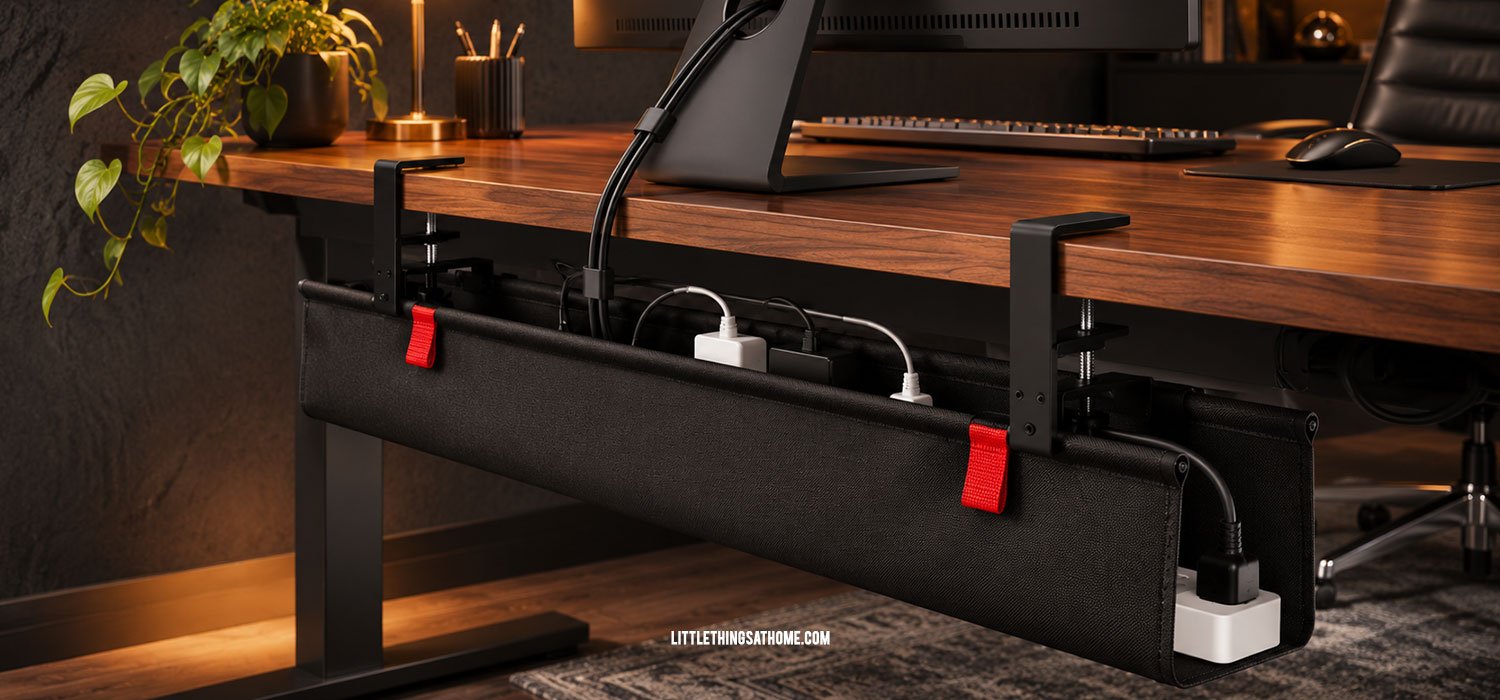

A beautiful desk setup can look surprisingly messy when power strips, charging cables, and tangled wires are scattered underneath it.
You can have the perfect desk, a great monitor, and carefully chosen accessories, but one look behind the furniture reveals a completely different story.
The good news? You don’t need a new desk or a complicated rewiring project to make things look better. A simple cable management box can hide a power strip and its connected cables, helping your workspace look more organized in minutes.
Whether you’re building a minimalist home office, upgrading a gaming setup, or trying to make your living room look less cluttered, the right cable organizer can make a noticeable difference.
Here are seven cable management solutions worth considering, along with practical tips for choosing the right one for your space.
Quick Picks: Best Cable Management Boxes at a Glance
- Best overall: D-Line Large Cable Management Box
- Best budget-friendly wooden look: LiTY Acacia Wood Cable Management Box
- Best classic design: YECAYE 2 Pack Cable Management Box
- Best under-desk solution: Cinati Under-Desk Cable Tray
- Best for larger cable setups: Litwaro Under-Desk Metal Mesh Cable Tray
- Best decorative option: Cantalop Rattan Cable Management Box
- Best complete organization kit: Univivi Desk Cable Management Tray
Product availability, prices, colors, and specifications may change. Check the current product listing and exact dimensions before purchasing.
1. D-Line Large Cable Management Box — Best Overall
Best for: Home offices, TV consoles, and desks with several connected devices.
Affiliate Disclosure: As an Amazon Associate, I earn from qualifying purchases. This means I may earn a commission if you purchase through links in this article, at no extra cost to you.
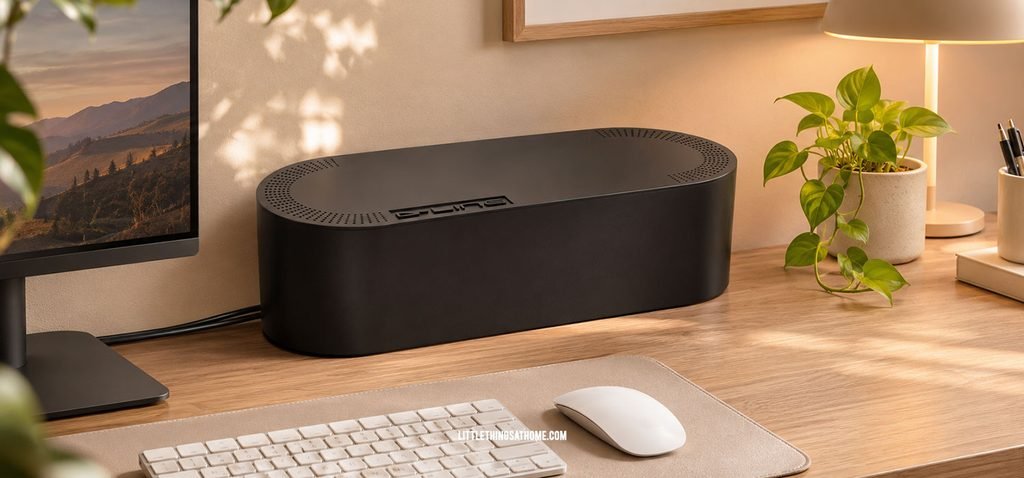
A cable management box should make your space look cleaner without creating another organizational headache. The D-Line Large Cable Management Box is a practical option for people who want to conceal a power strip and route cables neatly.
Its curved exterior gives it a softer appearance than a basic rectangular storage container. Multiple cable entry and exit points also provide flexibility when positioning it near a desk or entertainment center.
Before buying, compare the box’s internal capacity with the length and height of your power strip and connected adapters. A large exterior doesn’t automatically guarantee that every power strip will fit.
Why consider it:
- A simple, enclosed design for hiding power strips.
- Multiple cable-routing openings.
- A curved exterior that works with many home-office styles.
- A practical option for desks and entertainment centers.
Things to check: Confirm the dimensions of your power strip and adapters, and make sure the box can be positioned with adequate ventilation.
2. LiTY Acacia Wood Cable Management Box — Best for a Warm, Minimalist Desk
Best for: Neutral interiors, Scandinavian-inspired workspaces, and desks with wooden accessories.

Affiliate Disclosure: As an Amazon Associate, I earn from qualifying purchases. This means I may earn a commission if you purchase through links in this article, at no extra cost to you.
If you prefer a workspace that feels warm rather than technical, a cable management box with a wooden lid is worth considering.
The LiTY Acacia Wood Cable Management Box combines a concealed storage area with a surface that can complement a wooden desk. Depending on the model, the top may also provide a convenient place for small everyday items.
This style works especially well when your desk already features wood, beige accessories, soft lighting, or natural textures.
The main thing to watch is capacity. Some compact wooden-lid models are designed for shorter power strips, so measure yours before ordering.
Why consider it:
- A warmer look than a standard plastic organizer.
- A design that can complement minimalist interiors.
- A compact way to conceal a power strip on or beside a desk.
Things to check: Verify the exact dimensions and lid material of the selected variant.
3. YECAYE 2 Pack Cable Management Box — Best for a Classic, Simple Design
Best for: People who want to conceal a power strip without adding decorative details.

Affiliate Disclosure: As an Amazon Associate, I earn from qualifying purchases. This means I may earn a commission if you purchase through links in this article, at no extra cost to you.
Sometimes, the best organization accessory is the one you barely notice.
The YECAYE 2 Pack Cable Management Box is a well-known style of enclosed cable organizer designed to conceal a power strip and the cables connected to it. Its straightforward appearance makes it suitable for a desk, television console, or shared family space.
Rather than bundling cables into a visible cluster, you place the compatible power strip inside and route its cords through the designated openings.
It’s a useful option if your main goal is visual simplicity rather than extra storage or decorative styling.
Why consider it:
- A simple enclosure for everyday cable clutter.
- An unobtrusive design for visible spaces.
- A practical alternative to leaving a power strip exposed.
Things to check: Confirm the exact model, dimensions, and available colors, as product variants may differ.
4. Cinati Under-Desk Cable Tray — Best for Keeping the Floor Clear
Best for: Standing desks, home offices, and workspaces with several cables hanging underneath.

Affiliate Disclosure: As an Amazon Associate, I earn from qualifying purchases. This means I may earn a commission if you purchase through links in this article, at no extra cost to you.
A cable box isn’t always the right solution. If your main problem is wires dangling below your desk, an under-desk tray may work better.
Instead of enclosing everything in a box on the floor, this type of organizer creates a place beneath the desktop for routing cables and positioning compatible power strips.
The result can be a cleaner floor, more foot space, and fewer loose wires hanging around your chair.
Before choosing a tray, check how it attaches to your desk. Some models require screws, while others use clamps or adhesive mounting systems. These installation methods aren’t interchangeable, particularly for standing desks or desktops made from delicate materials.
Why consider it:
- Keeps more cables off the floor.
- Can reduce visible clutter beneath a desk.
- Works well for multi-device workstations.
Things to check: Confirm the mounting method, tray dimensions, desk thickness compatibility, and whether the required hardware is included.
5. Litwaro Under-Desk Metal Mesh Cable Tray — Best for Larger Setups
Best for: Gaming desks, multi-monitor workstations, and setups with several power adapters.
Affiliate Disclosure: As an Amazon Associate, I earn from qualifying purchases. This means I may earn a commission if you purchase through links in this article, at no extra cost to you.
Some desks have more than a few charging cables. Add a desktop computer, multiple monitors, speakers, a microphone, and other accessories, and the space beneath the desk can quickly become crowded.
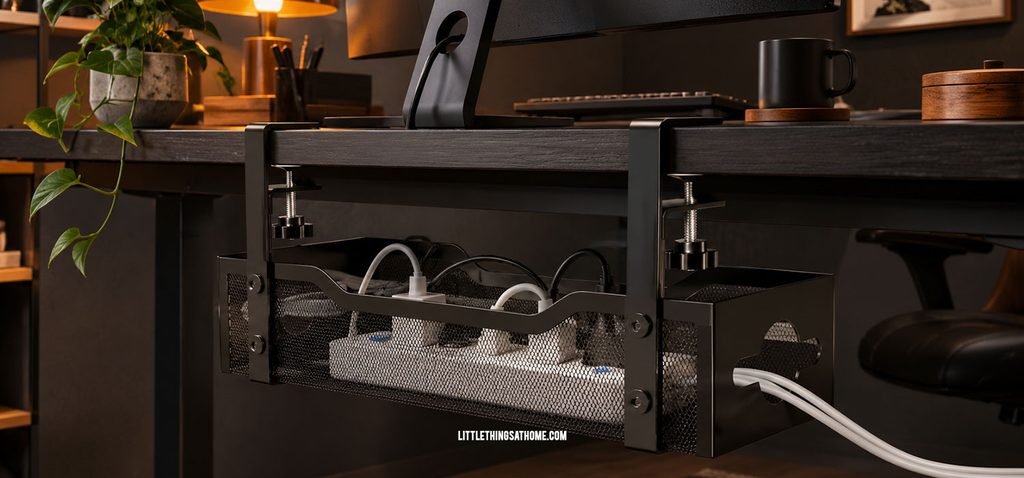
A metal mesh cable tray offers an alternative to a closed box by providing an open structure beneath the desktop.
Depending on its dimensions, it may accommodate a power strip, cable bundles, and compatible adapters while keeping them away from the floor.
The open design also makes it easier to access cables when changing your setup. However, the tray must be properly mounted, and its size needs to match the amount of equipment you’re organizing.
Why consider it:
- An open layout for routing multiple cables.
- Convenient access when adding or removing devices.
- A practical design for larger workstations.
Things to check: Verify its usable dimensions, mounting hardware, weight capacity, and compatibility with your desk.
6. Cantalop Rattan Cable Management Box — Best Decorative Option
Best for: Styled home offices, living rooms, and spaces where the organizer remains visible.

Affiliate Disclosure: As an Amazon Associate, I earn from qualifying purchases. This means I may earn a commission if you purchase through links in this article, at no extra cost to you.
Not every functional accessory needs to look like office equipment.
A rattan-style cable management box can be an attractive choice if you prefer natural textures and softer materials in your interior. It can complement wooden furniture, woven baskets, plants, and neutral decor.
This type of design is especially appealing when your desk or television console sits in a shared living space rather than a dedicated office.
The most important consideration is whether the decorative construction still provides the practical space, cable openings, and ventilation you need.
Why consider it:
- A decorative appearance that can blend with home interiors.
- An alternative to conventional plastic cable boxes.
- A natural-texture look for styled desks and living rooms.
Things to check: Check the actual construction materials, internal dimensions, ventilation, and whether your power strip fits comfortably.
7. Univivi Desk Cable Management Tray — Best for a Complete Organization Project
Best for: People who want to organize several areas of a home office at once.
Affiliate Disclosure: As an Amazon Associate, I earn from qualifying purchases. This means I may earn a commission if you purchase through links in this article, at no extra cost to you.
Sometimes, hiding the power strip solves only part of the problem.
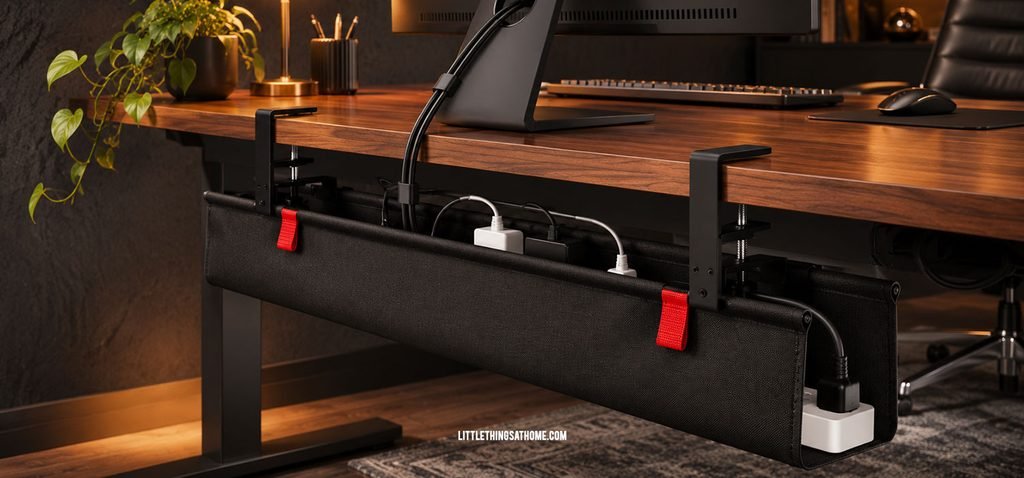
Cables can still trail across the desk, hang behind monitors, or run loosely along the legs of your furniture. A cable management kit can help address these separate issues with a combination of organizers and accessories.
Depending on the package, a kit may include cable management boxes, clips, sleeves, or reusable ties. Check the exact contents because bundle configurations can vary.
A complete kit may be useful if you’re reorganizing an entire workstation rather than just concealing one power strip.
Why consider it:
- Multiple tools for different cable-management problems.
- Potentially useful for multi-device workstations.
- A convenient starting point for a full desk cleanup.
Things to check: Compare the included accessories with what you actually need. A large accessory count isn’t necessarily better if most of the pieces will go unused.
How to Choose the Right Cable Management Box
Before adding a cable organizer to your cart, consider these five things.
1. Measure Your Power Strip First
This is the easiest mistake to avoid.
Measure the power strip itself, including any unusually large plugs or adapters. Then compare those measurements with the usable interior dimensions of the organizer.
Don’t rely on labels such as “large” or “XL.” Sizing isn’t standardized across brands.
If you plan to place multiple adapters inside the box, allow enough room for the cables to bend naturally without being squeezed.
2. Decide Between a Box and an Under-Desk Tray
These two products solve related but different problems.
Choose an enclosed box if you want to conceal a power strip near your desk, television, or nightstand.
Choose an under-desk tray if your main goal is to lift cables and compatible power strips off the floor.
You can also combine the two approaches when your setup needs both concealed power strips and better cable routing.
3. Match the Design to Your Room
The organizer doesn’t need to be a statement piece. It simply needs to work with the rest of your space.
- White or neutral plastic: A clean look for bright, minimalist rooms.
- Black metal: A practical match for gaming desks and darker setups.
- Wood-look finishes: A warmer appearance for natural interiors.
- Rattan-style designs: A decorative option for living rooms and styled workspaces.
Choose the finish that fits your existing furniture instead of buying something that clashes with the space.
4. Check Ventilation and Electrical Safety
A cable management box is not a replacement for proper electrical installation.
Use products intended for cable management, follow the manufacturer’s instructions, and don’t overload your power strip. Avoid placing hot power adapters in an enclosure that isn’t suitable for them.
Make sure the organizer allows adequate ventilation and access to plugs when needed. Don’t use a cable box to conceal damaged cords, and keep electrical equipment away from liquids.
If you have children or pets, consider whether the lid and cable openings provide the level of protection your household needs. Don’t assume every box is childproof or chew-proof.
5. Think About Installation Before Buying
If you’re renting or don’t want to drill holes into your desk, look for a suitable freestanding box or a compatible no-drill mounting system.
For under-desk trays, check the desk’s thickness, underside clearance, and mounting requirements.
Also consider how often you’ll need to change cables. An organizer that’s easy to open or access may be more useful than one that looks slightly neater but makes every adjustment difficult.
Simple Cable Management Ideas for a Cleaner Desk
You don’t need to purchase an entire collection of accessories to improve your workspace.
Try these simple changes first:
- Move the power strip: Position it somewhere accessible but out of your main line of sight.
- Group cables by device: Keep monitor cables together and separate them from charging cables where practical.
- Use reusable cable ties: Gather loose cable lengths without permanently binding them.
- Route cables along the desk: Use compatible clips to keep frequently used cables from sliding across the desktop.
- Keep the floor clear: Secure cable runs so they don’t cross walkways or get caught under chair wheels.
- Leave room for changes: Don’t bundle cables so tightly that replacing a charger becomes a frustrating project.
The goal isn’t to make every wire disappear at any cost. It’s to create a workspace that’s easier to use, maintain, and enjoy.
Frequently Asked Questions
Do cable management boxes work with every power strip?
No. Their interior dimensions and cable openings vary. Measure your power strip and adapters before choosing a model.
Are cable management boxes safe?
They can be useful for organizing compatible electrical equipment when used according to the manufacturer’s instructions. Choose an appropriately designed product, maintain adequate ventilation, and never overload a power strip or enclose damaged electrical equipment.
Should I buy a cable box or an under-desk tray?
A box is generally better for concealing a power strip. An under-desk tray is better for lifting cables off the floor and organizing the underside of a desk. Your setup may benefit from either option or both.
Can I use a cable management box for a gaming setup?
Yes, provided the organizer has enough room for your compatible power strip and adapters. Measure your equipment carefully, and pay attention to ventilation and cable access.
Do cable management boxes make a desk look better?
They can reduce the visual clutter created by exposed power strips and tangled wires. The improvement depends on the rest of your cable routing, furniture layout, and chosen organizer.
Are wooden cable management boxes better than plastic ones?
Neither material is automatically better. Wooden or wood-look designs may suit certain interiors, while plastic boxes can offer a simple, lightweight solution. Compare capacity, construction, ventilation, and fit rather than choosing by appearance alone.
Final Thoughts
A cleaner desk doesn’t always require new furniture, expensive accessories, or an afternoon spent rewiring everything.
Sometimes, the most useful change is simply giving the mess underneath your desk a proper home.
Start by measuring your power strip and deciding whether you need an enclosed box or an under-desk tray. Then choose a design that suits your space and makes everyday cable access manageable.
The best cable management box isn’t necessarily the biggest or most expensive one. It’s the one that fits your equipment, works with your room, and helps your setup feel more organized without creating extra work.
Also read:
- Simple Home Organization Ideas That Actually Help
- 17 Cool Amazon Products That Are Actually Worth Buying
- 5 Best Monitor Risers With Drawers for Small Desks (2026)
Affiliate disclosure: Little Things at Home may earn a commission from qualifying purchases made through affiliate links, at no additional cost to you. Product details and availability may change; always verify the current listing before purchasing.