

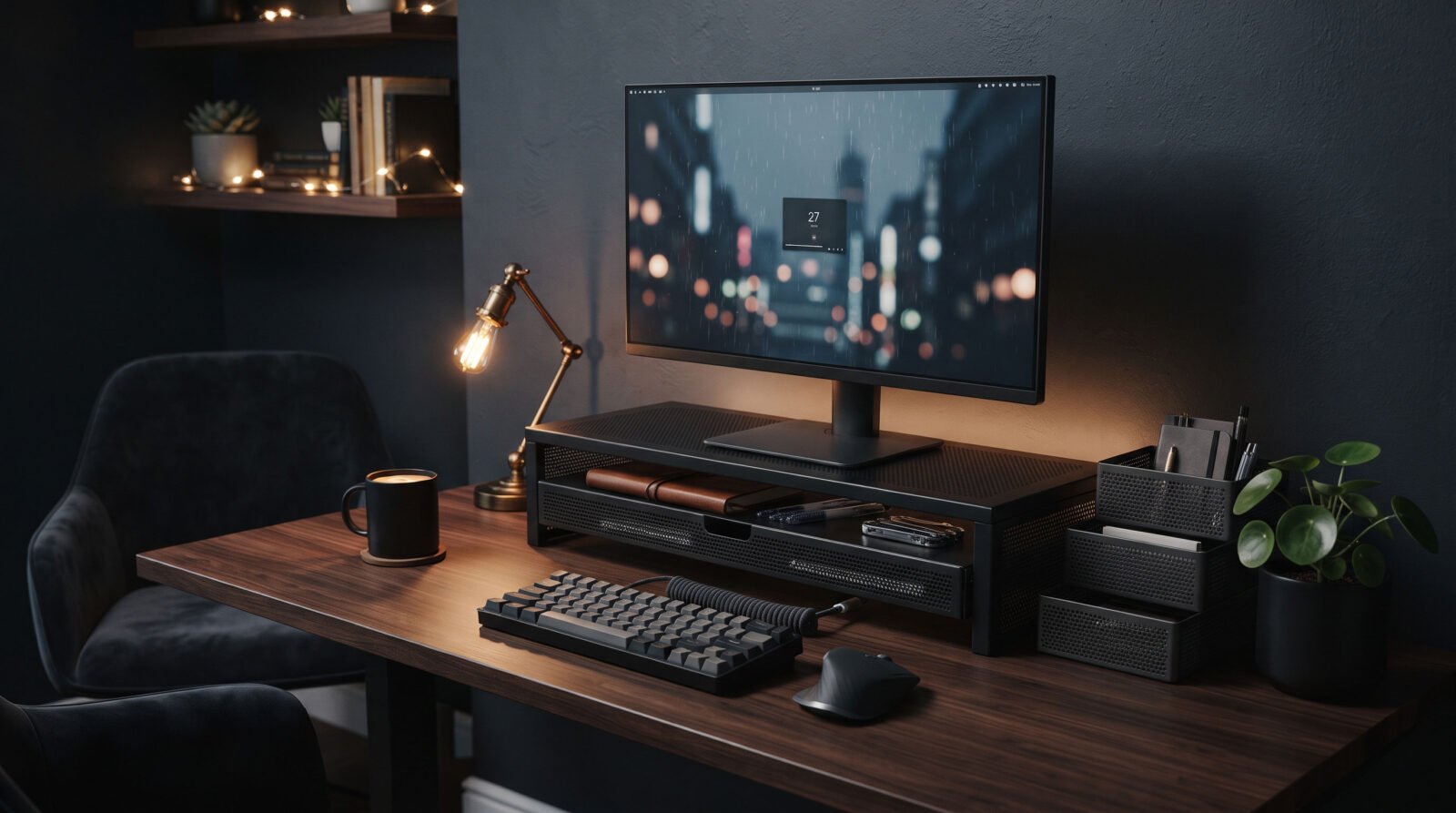

A small desk can feel cluttered fast. A monitor base takes up valuable surface area, while pens, charging cables, sticky notes, and other everyday items have a habit of collecting underneath the screen.

A monitor riser with a drawer can solve two small workspace problems at once: it raises your screen off the desk and adds a little storage where you already have unused space. Some models are compact enough for a single monitor, while wider versions are designed for dual-screen setups.
The right choice depends on your available desk space, monitor setup, storage needs, and how high your screen needs to sit. Here are five options worth comparing before you buy.
Disclosure: Little Things at Home may earn a commission from qualifying purchases made through links in this article, at no extra cost to you. As an Amazon Associate I earn from qualifying purchases. Product specifications and price snapshots are based on publicly available information; we have not physically tested these products. Prices, ratings, and availability can change, so check the current listing before ordering.
Quick Picks: Monitor Risers With Drawers
| Product | Best fit | What to know |
|---|---|---|
| OPNICE 2-Tier Monitor Stand With Drawer | Compact single-monitor desks | Two-tier design, drawer, and pen holders in a compact format |
| Gianotter Dual Monitor Stand Riser With Drawer | Dual-monitor desks | Wider, adjustable design; measure your desktop and check the selected model’s dimensions |
| Simple Trending 2-Tier Monitor Stand With Drawer | Budget-friendly organization | Around 20 inches wide, with a drawer and side pen holders |
| FENGE Dual Monitor Riser With Two Drawers | Wide desks and extra storage | Approximately 42.5 inches wide with two drawers; confirm the exact variant and load rating |
| IKEA ELLOVEN Monitor Stand With Drawer | Minimalist single-monitor setups | A simple 18.5-inch-wide stand with a drawer and open keyboard space; sold by IKEA |
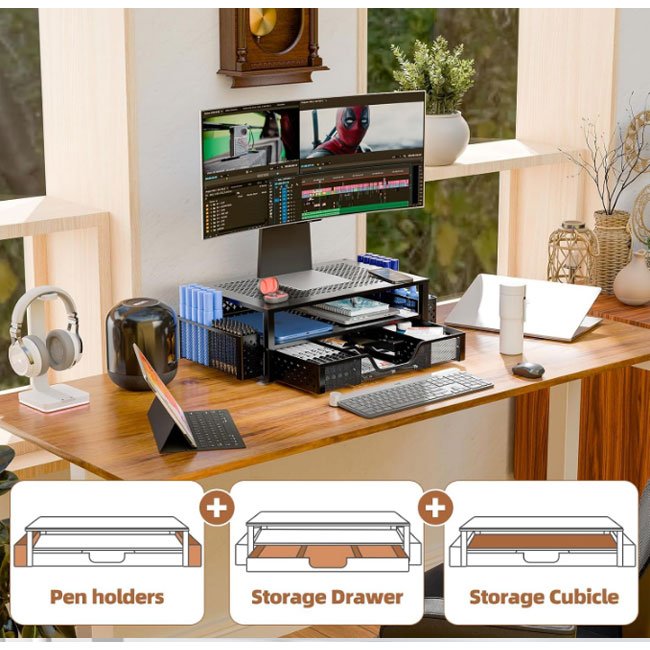
1. OPNICE 2-Tier Monitor Stand With Drawer — Best for a Compact Desk
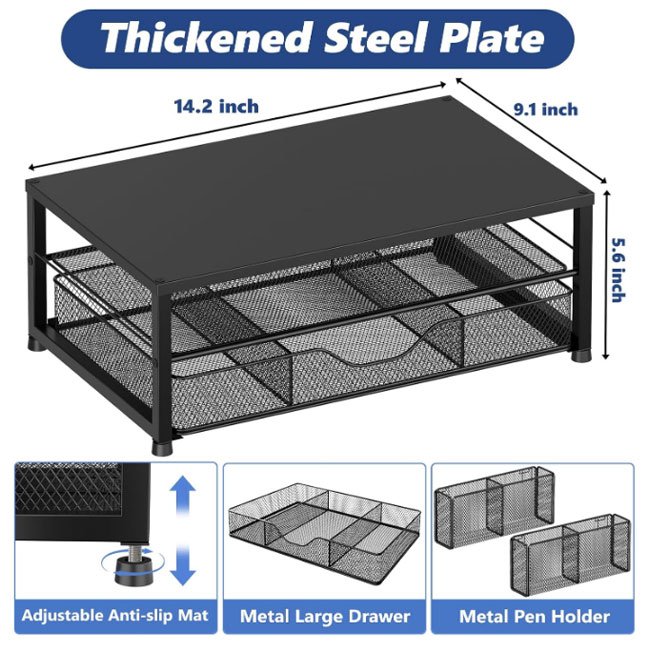
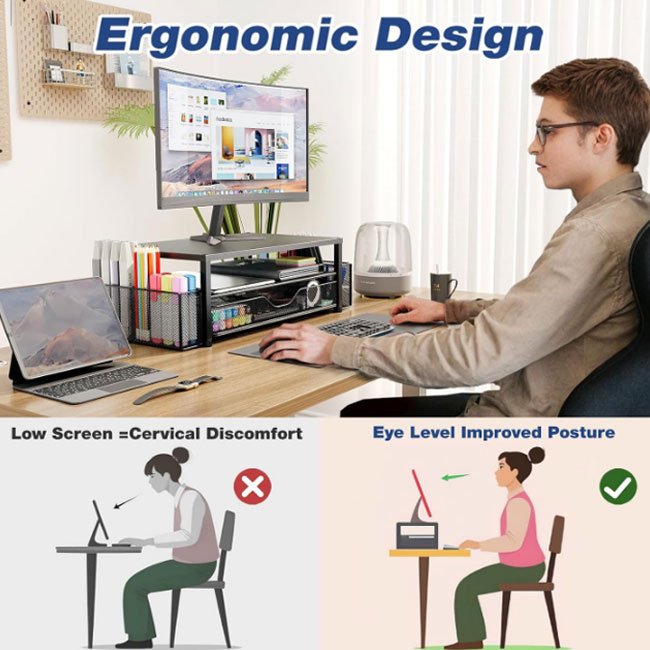
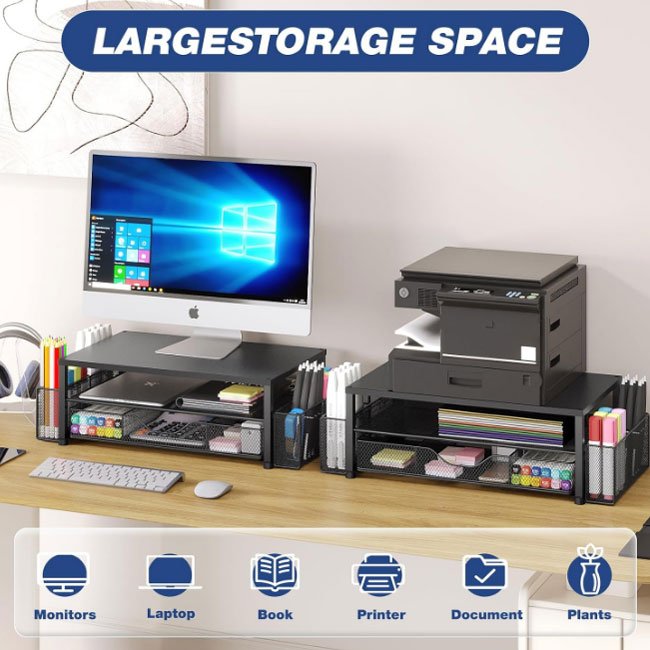
If you use one monitor and want to keep the rest of your desk clear, the OPNICE two-tier stand is a practical starting point. The design combines a raised platform with a drawer and two pen holders, while the lower tier can provide another place to keep small accessories.
Why consider it
- The compact design is easier to fit on a smaller desk than an extra-wide dual-monitor shelf.
- A drawer helps tuck away small stationery and everyday desk items.
- Side pen holders keep frequently used writing tools close at hand.
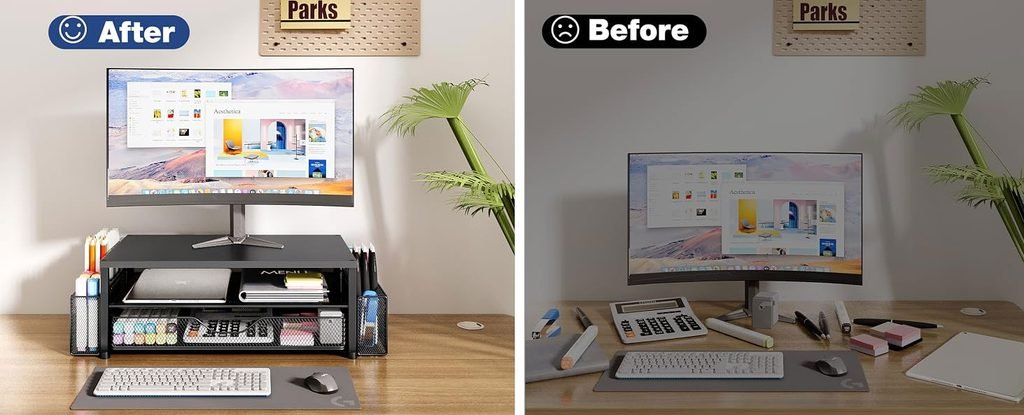
Before you buy: Check the exact width of the selected color or version. Do not assume a compact stand will safely fit two monitors just because it has a wide-looking product photo. Confirm the published load capacity, then compare it with the weight and footprint of your monitor and base.
Recent third-party Amazon analytics reported this listing at around $20 and a 4.7-star rating, with estimated sales of roughly 6,000 units in the reporting period. These are snapshots from external tracking—not official Amazon sales figures—and may no longer match the live listing.
2. Gianotter Dual Monitor Stand Riser With Drawer — Best for Two Screens
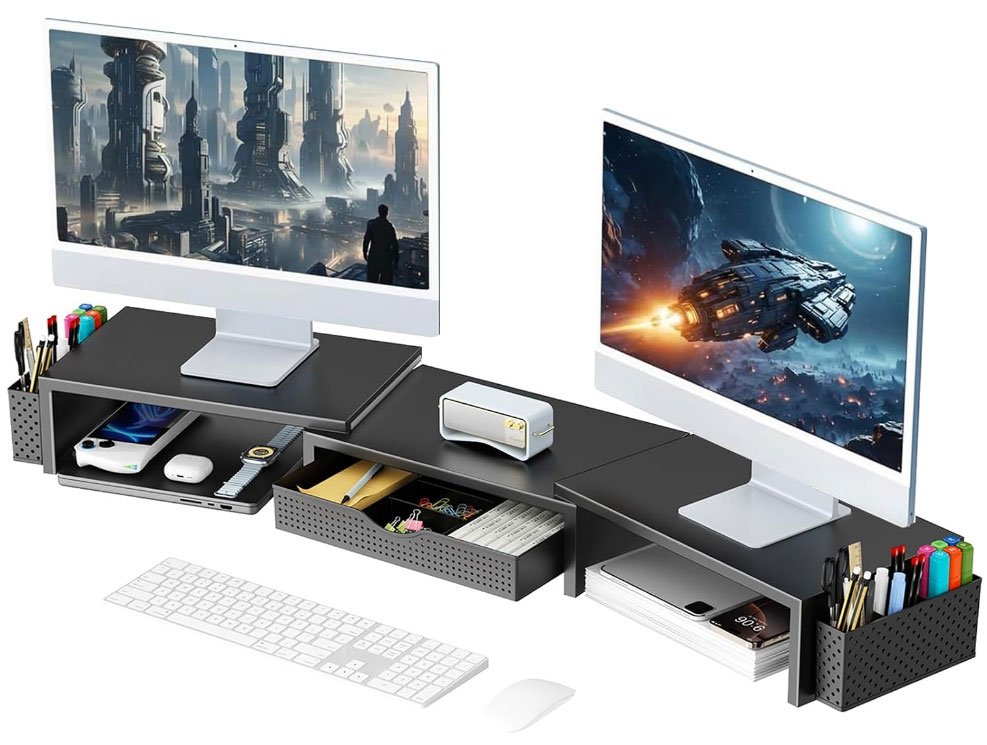
A dual-monitor setup needs more horizontal space, so a compact single-monitor riser may not be wide enough. The Gianotter dual-monitor riser is worth comparing if you want one raised platform for two screens and a drawer for small supplies.
Some listings describe an adjustable-width design. Because variants can differ, inspect the exact option you select and verify its minimum and maximum width, depth, load capacity, and the amount of usable surface available for both monitor bases.
Why consider it
- A wider platform can bring two screens onto one shared shelf.
- The drawer and pen holders consolidate small accessories in one place.
- It is designed around a dual-monitor workspace rather than a single compact display.
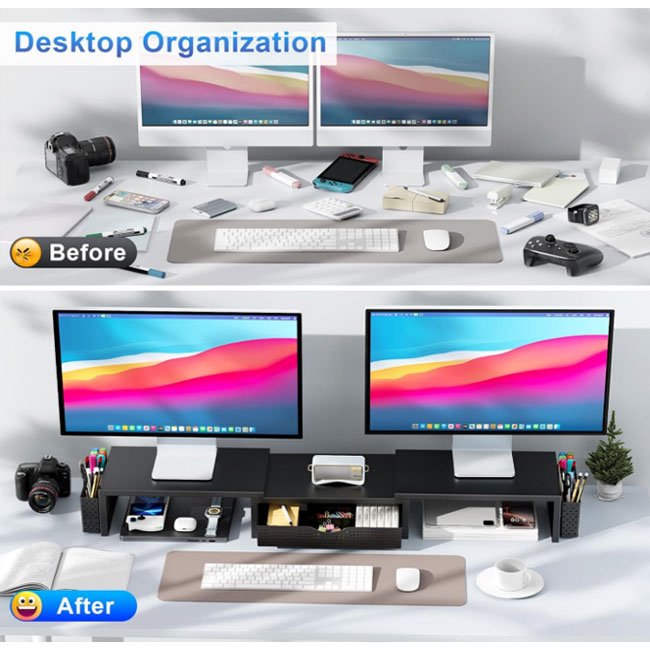
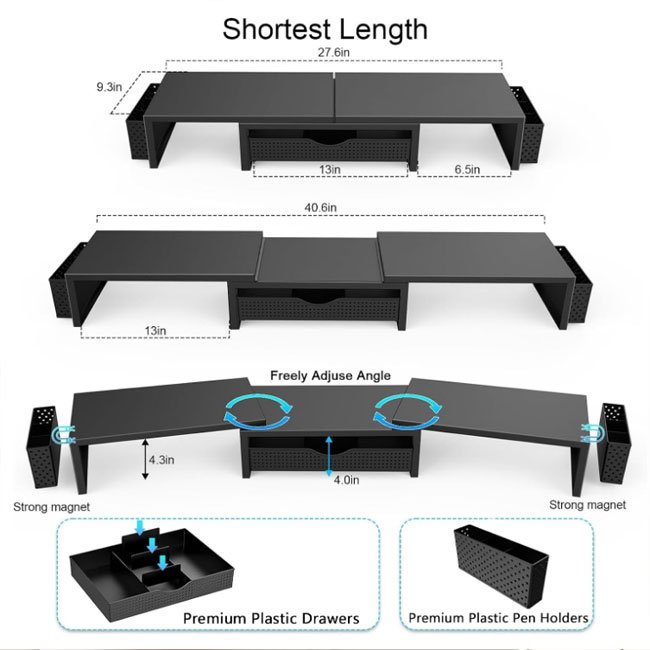
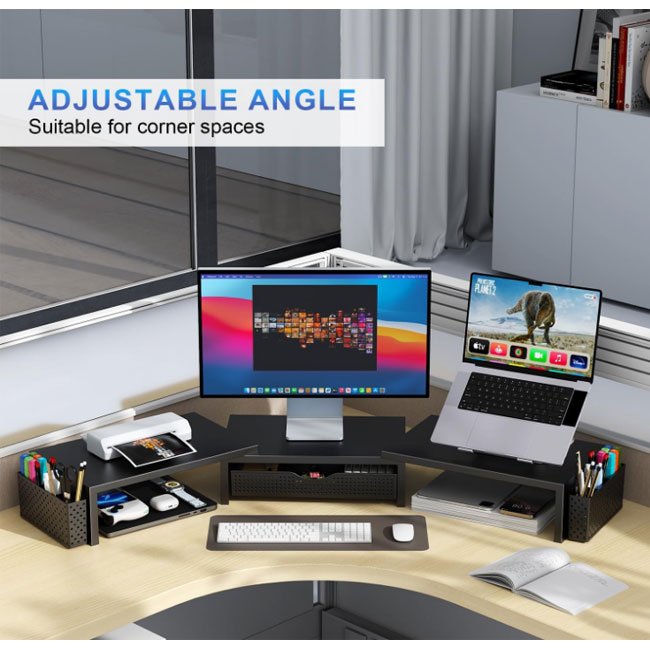
Before you buy: Measure the combined width of your monitor bases, not just the monitor panels. Leave room for any overhang and make sure the riser will sit fully on the desk. If your screens are large or heavy, check the load rating and the seller’s instructions carefully.
Third-party category tracking put this model at roughly $26–$28 and a 4.6-star rating in recent snapshots. Check the live page for the current price and exact variant.
3. Simple Trending 2-Tier Monitor Stand With Drawer — Best Budget-Friendly Option
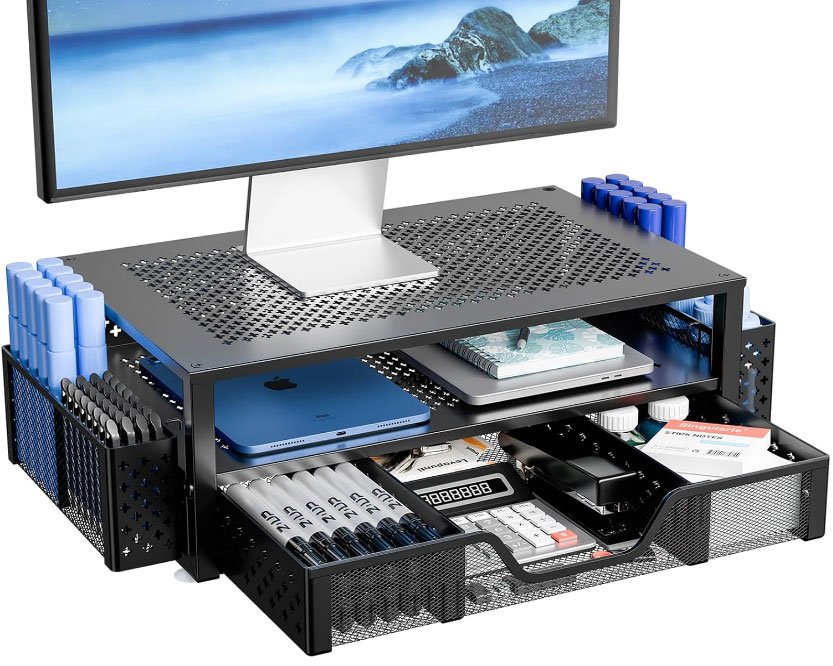
A two-tier riser is useful when you want to raise the monitor while keeping small office supplies close by. The Simple Trending model is listed at approximately 20 inches wide, 10 inches deep, and 5.8 inches high, with a drawer and two pen holders.
Why consider it
- The roughly 20-inch width may suit a single-monitor setup without taking up as much horizontal space as a wide dual riser.
- A drawer gives small items a dedicated home.
- The second tier adds another surface for lightweight accessories, depending on the model’s instructions and load limits.
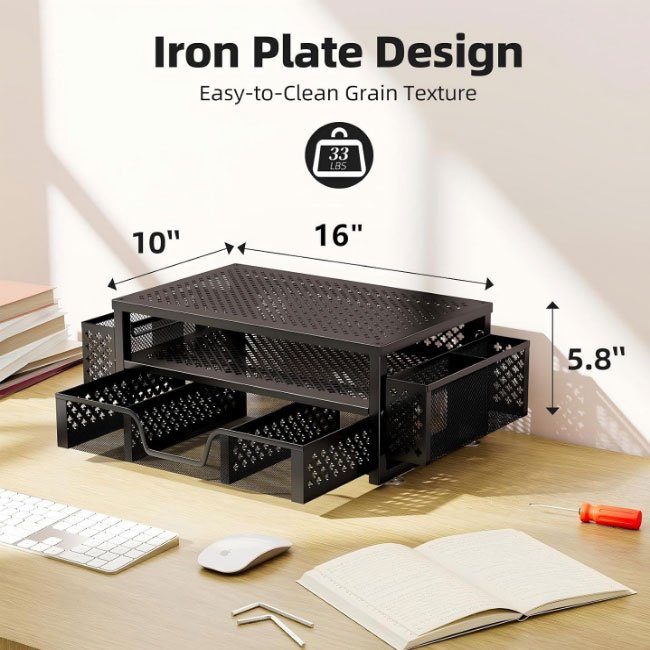
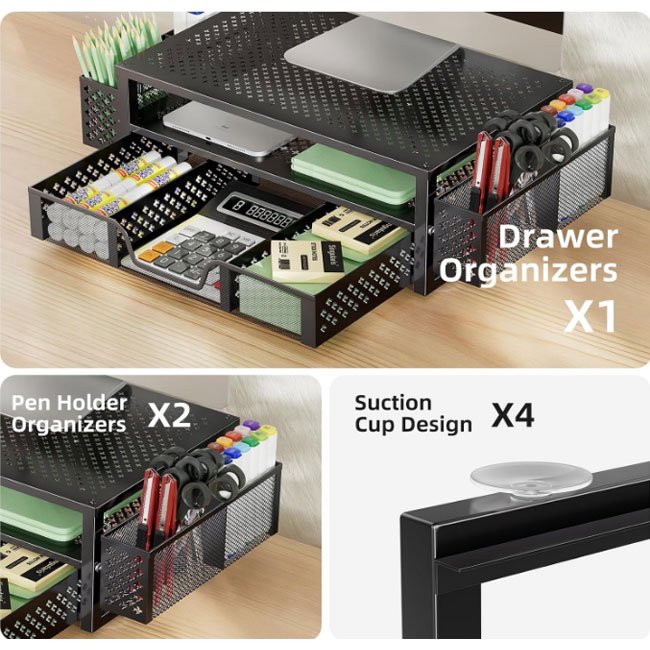
Before you buy: A riser that is 10 inches deep still uses meaningful desk space. Measure the distance from the front edge of your desk to the wall, then account for the monitor base, keyboard, and mouse. If you use a deep mechanical keyboard, check the clearance under the stand before ordering.
Third-party market tracking listed it at around $20 with a 4.7-star rating in a recent snapshot; live pricing and availability may differ.
4. FENGE Dual Monitor Riser With Two Drawers — Best for a Wide Desk
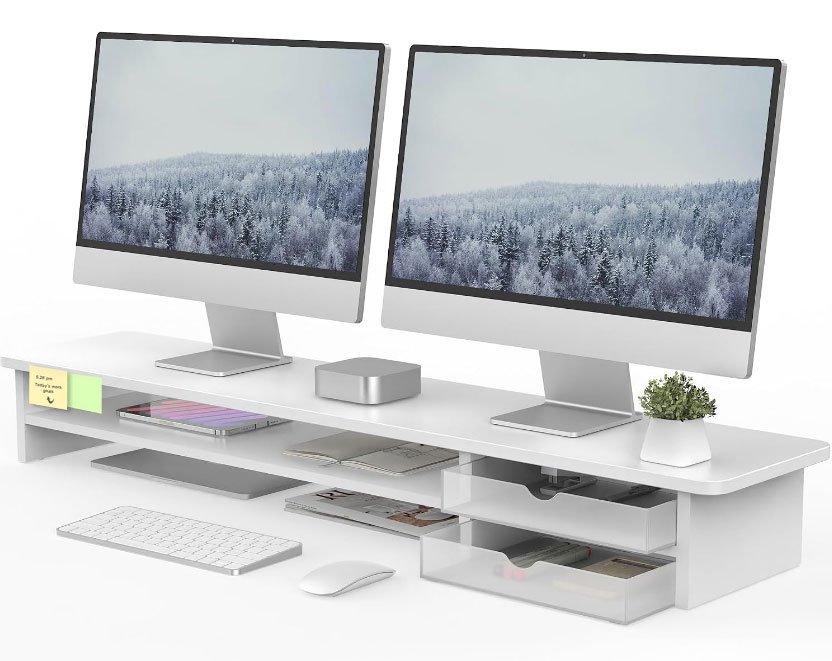
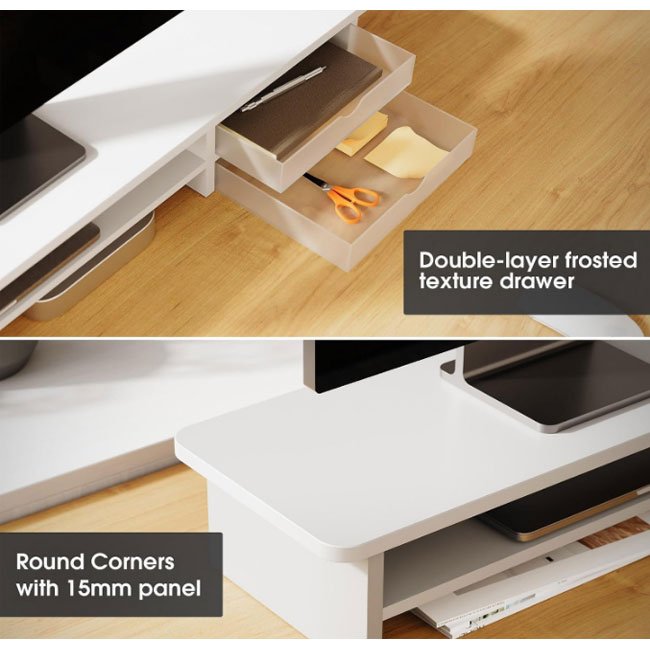
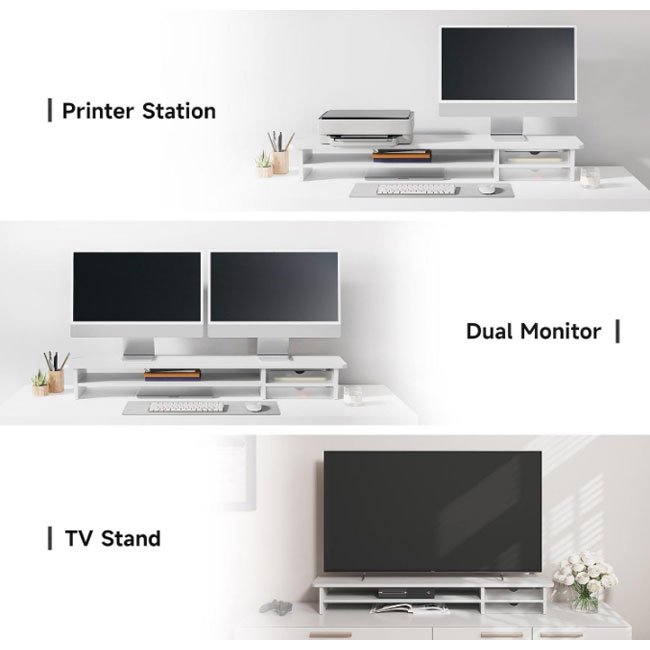
If storage is a higher priority and you have the desk width to spare, a wide dual-monitor riser may offer a more built-in look than placing two smaller stands side by side. The FENGE model tracked for this guide is listed at approximately 42.5 inches wide, 9.3 inches deep, and 5.5 inches high, with two storage drawers.
Why consider it
- The wide surface is designed for a two-screen setup.
- Two drawers separate small accessories rather than mixing everything into one compartment.
- A wood-style finish can suit a warm, minimalist workstation.
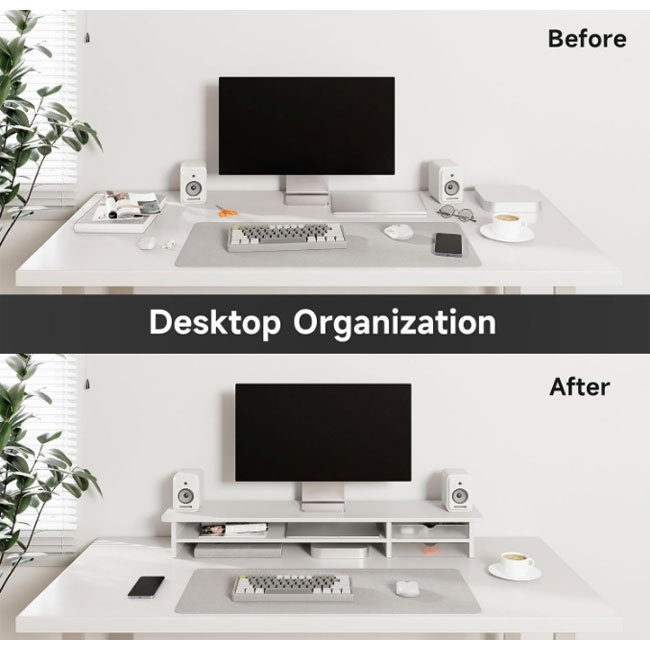
Before you buy: This is not the best match for every small desk. Measure your available width and depth, and compare the exact product variant’s weight limit with the combined weight of your monitors and any other items you plan to place on it. Product specifications can differ between colors and versions, so confirm them on the selected listing.
A third-party price tracker showed this FENGE model around $80 in a recent snapshot. Treat that as a reference point rather than a guaranteed current price.
5. BONTEC Dual Monitor Stand Riser — Best for a Minimalist Setup
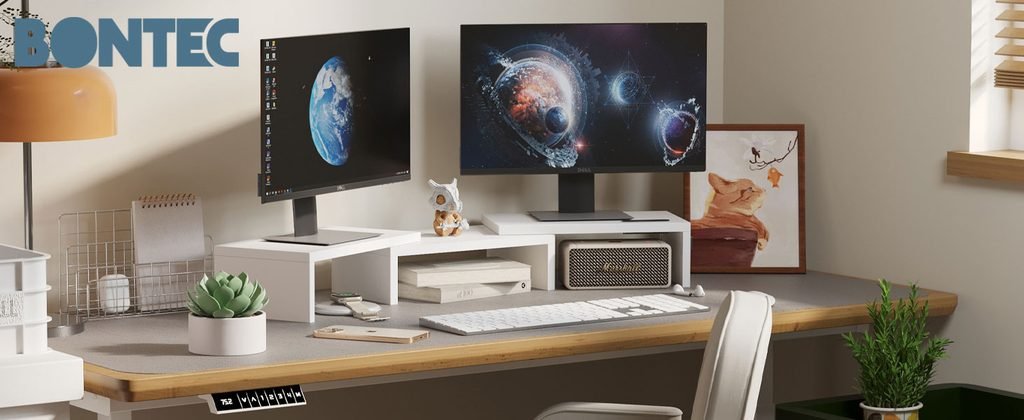
For a simple desk, the BONTEC Dual Monitor keeps the design straightforward: a raised platform, a drawer for small items, space to slide a keyboard underneath, and a cable opening at the back.
Why consider it
- 3 compartment desk organizer with large storage minimalist desk setups.
- Built with a sturdy wooden structure and non-slip pads.
- The dimensions and published load limit make it easier to check fit before buying.

Before you buy: The stand is a fixed height, not an adjustable arm. Check that adding four inches places your screen at a comfortable height rather than raising it too far. If you need more height adjustment, compare other stands or a monitor arm.
How to Choose the Right Monitor Riser for a Small Desk
1. Measure the desk before shopping
Measure the available width and depth—not just the overall dimensions of the desk. Leave room for your keyboard, mouse, notebook, and any speakers or lighting. A wide riser can solve one problem while making the rest of the workspace feel cramped.
2. Choose between a drawer and an open shelf
A drawer is useful for small items you would rather keep out of sight, such as USB drives, sticky notes, pens, and charging accessories. An open shelf is often easier for sliding a keyboard or small notebook underneath, but it can look cluttered if you store too many items there.
3. Confirm the screen height
A monitor riser is not automatically ergonomic just because it raises the screen. The Occupational Safety and Health Administration recommends placing the monitor directly in front of you, at least 20 inches away, with the top line of the screen at or below eye level. Adjust the height to your body and viewing needs, and make sure you do not have to tilt your head up to see the display. See OSHA’s monitor setup guidance.
4. Check the load rating and monitor footprint
Look at the monitor’s weight, the base dimensions, and the riser’s stated maximum load. For a dual-monitor setup, consider the combined weight of both displays and whether both bases fit fully on the platform. Do not rely on product photos alone to judge stability.
5. Check keyboard clearance
Some risers allow a slim keyboard to slide underneath, while others leave only a narrow gap. Measure your keyboard’s height, including any wrist rest, and compare it with the listed clearance. A few inches of saved space only helps when your everyday accessories actually fit.
Are Monitor Risers With Drawers Worth It?
They can be a useful upgrade if your monitor sits too low and your desk has unused space underneath the screen. The main value is combining two functions—raising the display and storing small accessories—in one footprint.
They are less useful if your monitor is already at a comfortable height, your desk is too shallow for another platform, or you need to adjust screen height frequently. In those cases, a monitor arm or a simple open riser may be a better fit.
Frequently Asked Questions
What is the best monitor riser for a small desk?
Start with a compact single-monitor option if desk space is limited. Before choosing, compare its width and depth with your monitor base and make sure there is enough room left for your keyboard and mouse. Wide dual-monitor shelves are better suited to desks with sufficient horizontal space.
Can a monitor riser with a drawer hold two monitors?
Some are designed for two monitors, but not all. Check the actual platform width, load rating, and instructions for the exact model. Two monitors should fit fully on the surface, and their combined weight must remain within the stated limit.
Will a monitor riser make my desk look less cluttered?
It can, especially when you use the drawer for small accessories and slide the keyboard underneath after work. It will not reduce clutter by itself, so choose a stand with storage that matches the items you actually use every day.
Should I choose a drawer or a monitor arm?
Choose a drawer riser when you want a simple, freestanding platform with a little storage. Consider a monitor arm when adjustability and freeing up more of the desk surface are more important. Make sure any arm is compatible with your monitor and desk before purchasing.
Final Takeaway
A monitor riser with a drawer can be a small but useful desk upgrade when you choose the right size. The OPNICE is a sensible starting point for a compact single-monitor desk, the GIANOTTER is worth comparing for two screens, and the FENGE offers a wider storage-focused design for desks with more room. The Simple Trending and BONTEC models are additional options to compare based on footprint, finish, and storage layout.
Before you order, confirm the current price, exact variant, dimensions, weight limit, and return policy. The best riser is the one that fits your desk and your monitor setup—not simply the one with the most features.
Sources and Product Checks
- OPNICE two-tier monitor stand listing
- Gianotter dual monitor stand listing
- Simple Trending monitor stand listing
- FENGE dual monitor riser listing
- BONTEC Dual monitor stand
Editorial note: This is a research-based product comparison, not a hands-on test. Confirm all specifications and live listing information before publication, especially for variants that share a product name.